
Finding people on a communication platform sounds simple. You open it, browse around, and start a conversation. In practice, it's rarely that easy. Most people end up scrolling aimlessly, not sure what they're looking for or where to focus. They send a few messages, get nothing back, and assume the platform isn't working.
Usually, the platform isn't the problem. The approach is.
This guide is about how Talkliv's discovery tools work. What they are and how to use them in a way that leads somewhere. The member gallery, search filters, newsfeed, likes and winks, and icebreakers. Each one serves a different purpose, and understanding that makes all the difference.
The Member Gallery: Where Discovery Starts
The Talkliv member gallery is the main browsing surface. It's where most people begin, and where many people stop without really getting started.
What you see in the gallery is simple: profiles. Photos, names, and a bit of written information. No scoring system, no algorithm sorting people by compatibility. You scroll through at your own pace. What you see reflects the broader Talkliv member base rather than a curated feed.
That openness is intentional. We don't push profiles at you based on behavioral data or calculated fit. You decide who to look at and for how long. Some people find that freeing. If you're used to platforms that serve up a ranked list and make decisions for you, it takes a small adjustment. The adjustment is worth it. You tend to notice profiles you might have filtered out algorithmically, and sometimes those are the more interesting ones.
How to get more from the gallery:
-
Don't just scan photos. Read bios. A two-line bio that says something specific is more useful than a glossy photo with nothing underneath it.
-
Take your time. There's no pressure to act immediately on anything you see. Come back to profiles. Browse across multiple sessions.
-
Pay attention to how complete a profile is. A filled-out bio, a clear photo, and some personal details give you something to respond to. They also signal that the person is actively engaged with the platform rather than simply registered.
Search Filters: Narrowing Down Without Losing the Plot
The Talkliv search filters let you narrow the member gallery by three criteria: country, age, and gender. They exist to solve a specific problem: helping you find people who are at least geographically and demographically relevant before you start reading profiles.
That's the right way to think about filters. They're a starting point, not a finishing line.
A common mistake is treating search filters as a precision tool, trying to use them to find the exact right person before ever looking at a profile. Filters can't do that, and they're not supposed to. What they can do is shrink a large member base down to a more manageable group so that your actual browsing is more focused.
What the Talkliv filters cover:
-
Country: Set this based on whether the country is relevant to you. Some members filter by it; others leave it open. Either approach works.
-
Age: Set a range that reflects who you want to connect with. Leave it wide if you're open; narrow it if you have a clear sense of what works for you.
-
Gender: Set this to match your preference.
Run a Talkliv search, see who comes back, and then browse that group the same way you'd browse the full gallery. The filter narrowed the pool. Now the actual work of finding someone worth talking to begins.
The Newsfeed: A Window Into Who's Active
Here's a discovery tool that a lot of Talkliv members underuse: the newsfeed.
The Talkliv newsfeed shows activity from across the platform. Talkliv members post updates, share content publicly, and show up in the feed when they engage with the community. It's a live view of who's actually present and participating, not merely registered.
This distinction matters more than it might seem. A member gallery shows you who has a profile. The newsfeed shows you who's been on the platform recently and doing something with it. Those are different things.
Why the newsfeed is worth your time:
-
It surfaces members you might not have found through search filters: people whose profile you wouldn't have landed on by browsing, but who are clearly active.
-
It gives you something to work with when you reach out. If someone posted something in the newsfeed, you have a starting point for a message. "I saw your post about X" is a better opener than a cold introduction with no context.
-
It gives you a feel for the community atmosphere before you're deep into one-on-one conversations.
Spending five or ten minutes in the Talkliv newsfeed before diving into the gallery is a habit that tends to pay off. You get a warmer sense of who's there.
Likes, Winks, and Follows: The Art of Low-Commitment Signals
Not every interaction on Talkliv.com has to start with a message. Sometimes a lighter signal is the right move. That's exactly what likes, winks, and follows are for.
Likes are the most neutral signal. Liking a Talkliv profile or a piece of content someone posted in the newsfeed is a way of acknowledging them without demanding a response. It says: I noticed you. That's enough for now.
Winks carry a bit more weight. A wink is a gentle nudge, an expression of interest without the commitment of opening a full conversation. For members who aren't sure whether to reach out, a wink lets you test the water. If the other person winks back or follows you, that's useful information.
Follows are about keeping track. Following someone saves their profile for later and keeps you visible to them. It's not a declaration; it's a bookmark with a social dimension. Some conversations start weeks after an initial follow-up.
These Talkliv tools exist because not everyone is ready to send a message the moment they find a profile they like. The low-stakes signals create space for interest to develop naturally, without forcing a premature commitment. Used well on the Talkliv website, they warm up the ground before a message arrives.
A few principles for using these well:
-
Don't mass-wink on Talkliv. Sending winks to dozens of profiles in one session dilutes the signal. A wink means something when it's selective.
-
Follow profiles you actually want to come back to. The following list is only useful if it reflects actual interest.
-
Respond to signals you receive. If someone likes your profile or winks at you and you're interested, the easiest next move is a message.
Icebreakers: Turning Discovery Into Conversation
At some point, discovery has to lead somewhere. The transition from browsing to actually talking to someone on Talkliv is where a lot of people get stuck.
Talkliv has a feature built specifically for this moment: icebreakers.
Icebreakers let you send one message to multiple members at once, using pre-written templates as a starting point. Instead of writing a fresh opener for each person you want to reach out to, you choose a template, personalize it if you want, and send it to several people in one go. It's a practical way to move from browsing to actual contact without the effort multiplying for every profile you liked.
The value isn't the template text itself. It's getting past the starting point. Most people who struggle to reach out don't lack things to say. They lack a way to begin. Icebreakers solve that.
How to use icebreakers effectively:
-
Personalize wherever you can. A template that references something specific about the person's profile lands better than a purely generic opener. Use it as a starting point, not a finished product.
-
Keep the tone conversational. It should feel like the start of a real exchange, not a broadcast.
-
Don't overthink it. A genuine prompt beats a perfect message that never gets sent.
Once a conversation opens, private chat starters take over: pre-written prompts available inside the one-on-one chat itself, for when you're mid-conversation and not sure what to say next. Different tool, same idea: removing friction at the moment you need it.
After that, your communication options on Talkliv expand: private messaging for back-and-forth exchanges, email letters for when you want to write something longer and more considered, and photo sharing directly in conversations if you want to make the exchange more personal.
Putting It Together: A Discovery Approach That Works
The tools in isolation are useful. Used together, they create something better.
Here's a practical discovery approach that tends to work on the Talkliv site:
-
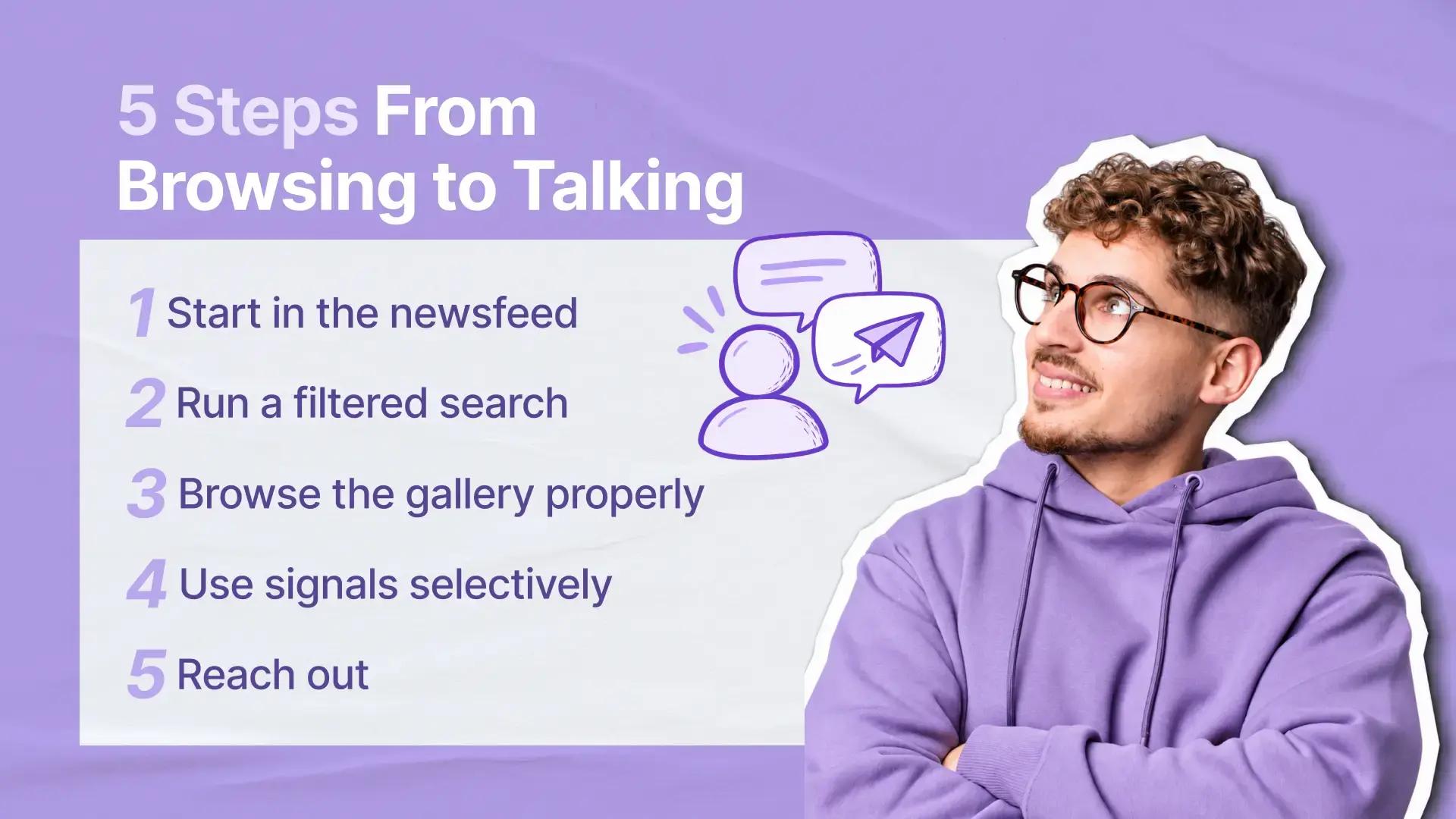
Start in the newsfeed. Spend a few minutes seeing who's active and what they're posting. Note anyone whose content stands out.
-
Run a filtered search. Set your country and age filters to narrow the member gallery to a relevant group.
-
Browse the gallery properly. Read bios, not just photos. Slow down on profiles that have something interesting in them.
-
Use signals selectively. Like or wink at profiles that actually interest you. Follow anyone you want to come back to.
-
Reach out. Use an icebreaker if starting cold feels hard. Personalize it. Send it.
None of this is complicated. But most people skip steps two and three, bounce between the gallery and icebreakers without a strategy, and wonder why it's not producing results.
The Talkliv members who get the most from our discovery tools are the ones who treat it like an actual investment of attention, not a slot machine. If you want a broader overview of how Talkliv works before diving into discovery, our Talkliv FAQ covers the full picture.
A Note on Safety While Discovering
As you browse and connect, it's worth knowing what tools Talkliv puts in your hands if something doesn't feel right.
Any profile or content you encounter on Talkliv can be reported. Our Trust and Safety team reviews every report and follows up once the case is handled. Blocking is available at any point and works independently of reporting. It cuts contact immediately without requiring a formal complaint. The full picture of how our reporting system works is covered in our Inside Talkliv's Reporting Tools article.
Your profile activity on Talkliv is also not visible in public search engines. What you do on our platform stays off public search.
Finding People Worth Talking To Takes a Little Intention
Discovery on Talkliv isn't passive. The tools are there: the gallery, the filters, the newsfeed, the signals, the icebreakers. But they work in proportion to the attention you give them. A few minutes in the newsfeed before you browse. A filter that narrows the field to something relevant. A wink is sent selectively rather than broadcast. An icebreaker that references something meaningful.
None of it is complicated. But putting it together intentionally, rather than bouncing around without a plan, changes the experience considerably. The members who find people worth talking to on Talkliv are usually the ones who treat discovery as a process, not a lottery.
Start there. The conversations follow.
Common Questions About Talkliv Discovery
Why do some profiles have a verification badge?
A Talkliv verification badge means the member has completed the identity verification process, run through a trusted third-party provider. It doesn't guarantee anything about how someone will behave on the platform, but it does confirm that an identity check was completed. Worth factoring in when you're deciding who to reach out to.
Is Talkliv safe to use?
We run automated photo moderation, member reporting, identity verification through a trusted third-party provider, and a dedicated Trust and Safety team. If something feels off, you have direct tools to act: report any profile or content, block any member immediately, and reach out to our support team at [email protected] around the clock.
Can I undo a like or wink?
If you've sent a signal you'd rather not have sent, the simplest approach is to move on. Likes and winks are low-stakes enough that they rarely create the kind of pressure you'd want to undo.